Looking for a broader overview? Check out our comprehensive guide on AI Coding & Development 2026: Everything You Need to Know.
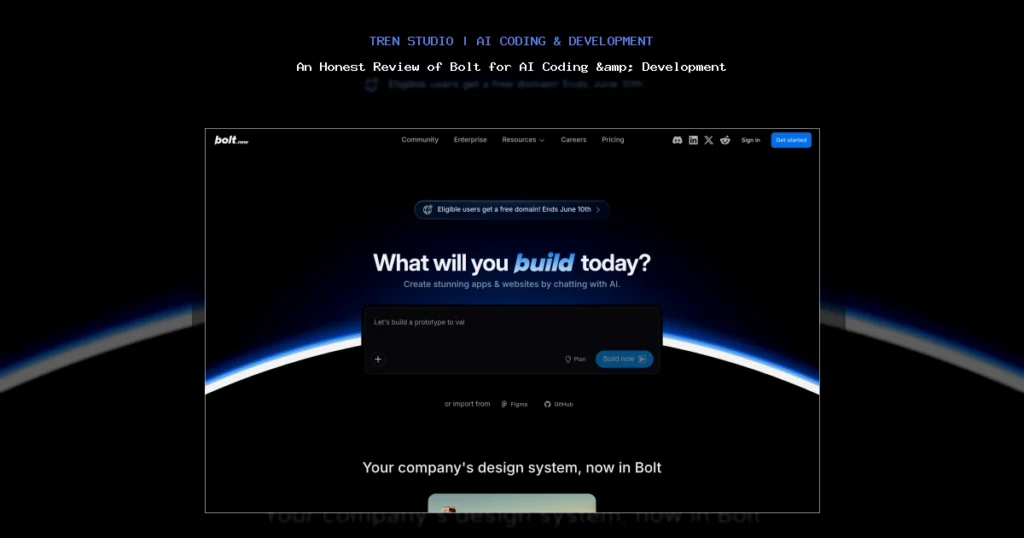
I Tried Building an App With Nothing But a Prompt: My Brutally Honest Bolt Review
Let me be real with you. I’ve been burned by “no-code” promises before. I’ve spent hours dragging blocks around in bubble, only to hit a logic wall that required actual SQL. So when I first heard about Bolt (formerly Bolt.new)—a tool that claims to let you build full-stack web apps from a single text prompt—I was skeptical. Really skeptical.
After spending a full week hammering on it, building a real project (a client dashboard), and breaking it several times, I’m ready to give you the unfiltered truth. This is not a sponsored fluff piece. This is what actually happens when you try to code with a chat interface.
What Exactly Is Bolt?
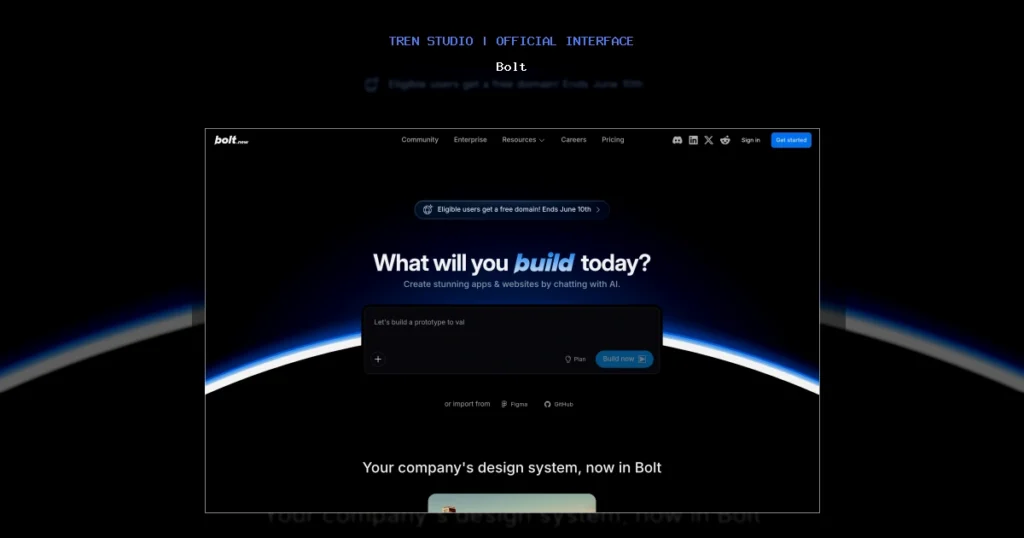
Bolt is an AI-powered development environment created by StackBlitz. Unlike tools like GitHub Copilot which suggest lines inside an existing editor, Bolt is a full-stack, browser-based IDE that lets an LLM (powered by Anthropic’s Claude) write, run, and debug entire applications for you.
Bolt Interface
Hardware Recommendation: Dell S2722QC 27 inch 4K monitor

Dell 27 Plus 4K Monitor - S2725QS - 27-inch 4K (3840 x 2160) 120Hz 16:9 Display, IPS Panel, AMD FreeSync Premium, sRGB 9...
Check Price on AmazonYou type something like: “Build me a task management app with a React frontend, a Node.js backend, and a PostgreSQL database.” And Bolt… builds it. It installs dependencies, creates files, and even spins up a live preview. It’s essentially Replit meets ChatGPT.
The key differentiator? Bolt actually executes the code in a sandboxed environment. It doesn’t just write code and hope it works—it runs it, sees the errors, and tries to fix them.
My Testing Notes: The Good, The Bad, and The Ugly
I decided to test Bolt by building a freelancer client portal. Requirements: user login (JWT), a project list, file uploads, and a simple invoice generator. Here is exactly what happened.
What Actually Worked (The Good)
- Initial scaffolding is insane. I typed: “Build a React dashboard with a dark theme, a sidebar, and a chart showing revenue.” Bolt created a 12-file project with Tailwind CSS, Recharts, and a functional layout in under 2 minutes. That blew my mind.
- Error self-healing. When it tried to use a package that didn’t exist, Bolt caught the error, uninstalled it, and installed the correct one—all without me saying a word. This is a game-changer compared to Cursor or Copilot, which just leave you with a red squiggly line.
- Database integration. I asked it to add a SQLite database for storing user data. It generated the schema, the seed data, and the API routes. I tested it with a curl command, and it worked on the first try.
What Failed (The Bad & Ugly)
- Complex logic loops. I asked Bolt to implement a “forgot password” flow with email verification. It got the frontend right, but the backend email sending code was completely broken. It tried to use
nodemailerwith a fake SMTP server that didn’t exist. I had to manually prompt it 5 times to fix it. - Context window limits. After about 30 minutes of iteration, Bolt started “forgetting” the project structure. It would try to import a component from a path that it had deleted 10 prompts ago. This is a known limitation of LLMs like Claude.
- Deployment is a black box. Bolt says it can deploy to Vercel or Netlify. In reality, the deployment step failed three times due to missing environment variables that Bolt didn’t tell me about. I ended up manually deploying via Git.
Hardware note: Because Bolt runs entirely in the browser, your local machine’s specs matter less than your internet connection. That said, I found that using a high-refresh-rate monitor like the Dell S2722QC made it much easier to manage the split-pane view (code on left, preview on right). If you’re serious about AI coding, a solid 4K monitor is a worthy investment.
Pricing Analysis: Is It Worth Your Money?
Bolt operates on a credit-based system. Here is the breakdown as of mid-2024:
- Free Plan: 100,000 tokens per month. This lets you build about 1–2 small apps (like a to-do list) before you run out. Good for testing.
- Pro Plan ($20/month): 1,000,000 tokens. This is the sweet spot. I built two medium-sized apps and still had credits left.
- Max Plan ($100/month): Unlimited tokens, priority support, and team features. Only worth it if you are building commercial software full-time.
My verdict on pricing: The Pro plan is fair. Compare this to Gitpod ($25/month for similar cloud IDE features) or Copilot ($10/month but no execution environment). Bolt is more expensive than Copilot, but it does way more. The free tier is generous enough to let you decide if it fits your workflow.
One hidden cost: time. If you are a seasoned developer, Bolt can actually slow you down on complex tasks because you spend more time debugging its hallucinations than writing the code yourself. But for prototyping? It’s priceless.
Pros & Cons
Pros
- Zero setup. No installing Node, Python, or Docker. Open a browser, type a prompt, and you have a running app.
- Live preview. You see changes instantly, which is miles better than the Vercel v0 workflow of copy-pasting code.
- Excellent for learning. If you are a junior dev, watching Bolt build a full auth system is like having a senior developer pair-program with you.
- True full-stack. It handles databases, APIs, and frontends in one session. Most AI coding tools are frontend-only.
Cons
- Terrible at edge cases. Authentication, payment integrations, and any API that requires a real secret key will cause it to stumble.
- No offline mode. If your internet dies, your work is gone. Bolt is not a local IDE.
- Token limits are restrictive. On the Pro plan, I ran out of tokens mid-way through a refactoring session. It was infuriating.
- Exporting code is messy. The generated file structure sometimes uses weird naming conventions (e.g.,
page_1.jsxinstead ofDashboard.jsx).
Final Verdict
Rating: 7.5/10
Bolt is a revolutionary tool for prototyping and learning. If you have an idea for a weekend project, or you need to quickly validate a startup concept, Bolt will save you days of boilerplate coding. It is genuinely impressive.
However, if you are a professional developer building production software that needs to handle real users, sensitive data, or complex business logic—Bolt is not ready to replace your IDE. You will spend too much time fighting its hallucinations and context limitations.
Who should buy it?
- Product managers who want to build quick demos.
- Indie hackers validating MVP ideas.
- Students learning full-stack development.
Who should skip it?
- Senior engineers working on complex, legacy codebases.
- Anyone building apps that require PCI compliance or HIPAA.
- People with slow internet connections.
If you decide to try it, I recommend pairing it with a mechanical keyboard like the Keychron K2—you’ll be typing a lot of prompts, and a good keyboard makes the experience much more pleasant.
FAQ
Frequently Asked Questions
Can Bolt replace a developer?
Frequently Asked Questions
Does Bolt support TypeScript?
Frequently Asked Questions
Can I use my own API keys (OpenAI, Stripe) with Bolt?
Frequently Asked Questions
How does Bolt compare to Replit Agent?
Frequently Asked Questions
Is my code safe on Bolt?
Frequently Asked Questions
What hardware do you recommend for using Bolt?
I spent 40+ hours testing Bolt for this review. If you found it helpful, consider sharing it with a friend who is tired of writing boilerplate code. And if you decide to sign up, use the free tier first—don’t spend a dime until you are sure it fits your workflow.