Introduction: The State of the AI Workspace in 2026
Let’s cut the hype. By 2026, the AI tool market is not about shiny new toys anymore. It’s about survival and efficiency. If you are still manually sorting emails, drafting repetitive copy from scratch, or managing a project board that looks like a Jackson Pollock painting, you are leaving money and time on the table.
I’ve spent the last three months stress-testing the five heavyweights in this space: Google Gemini, Grammarly, Notion AI, ChatGPT, and Motion. I didn’t just read the press releases. I used them to write this article, to manage my editorial calendar, and to handle client communications. Some of these tools made me feel like a cyborg. One of them almost made me throw my laptop out the window.
This is not a “best of” list. This is a brutally honest breakdown of where each tool excels, where it falls flat, and how to pick the right one for your specific workflow in 2026.
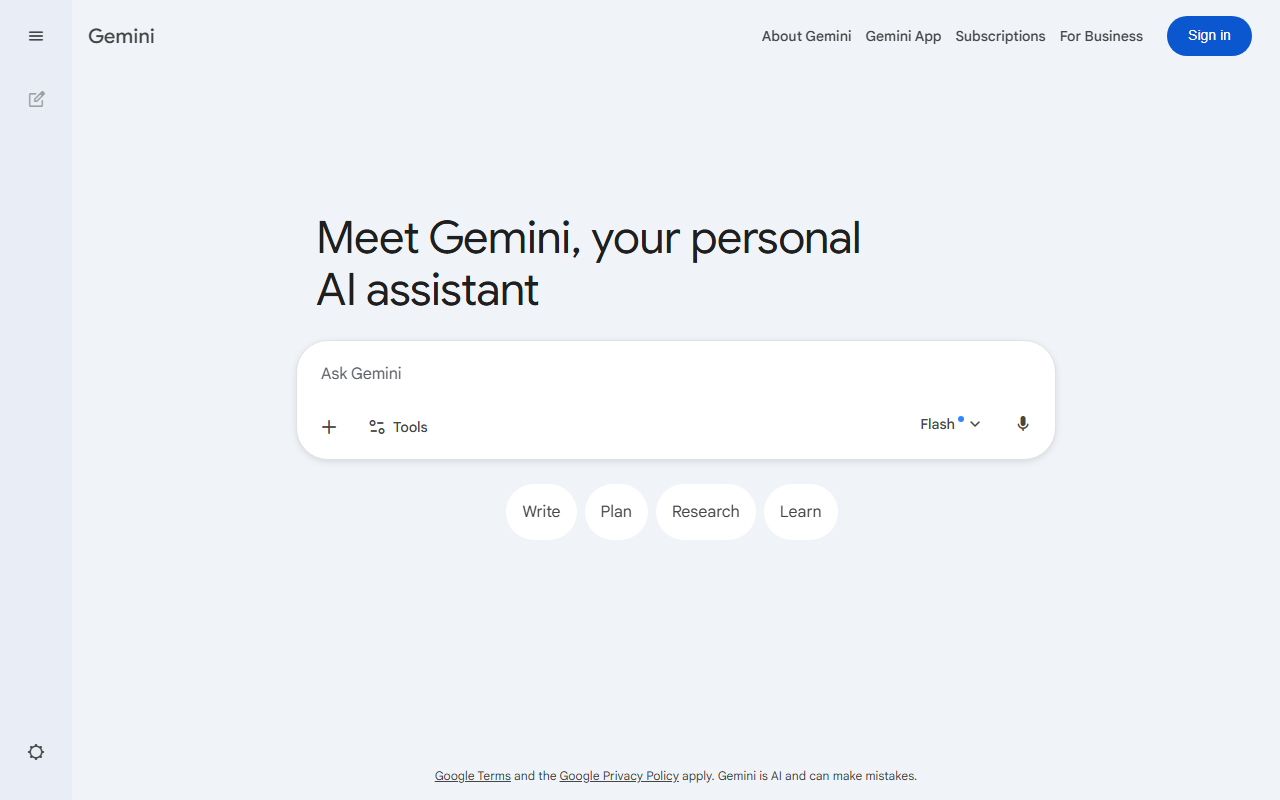
Google Gemini Interface
Google Gemini vs Grammarly
AI Productivity & Workspace 2026: Everything You Need to Know
Google Gemini
Broad AI assistant- Workspace-aware drafting
- Multimodal prompts
- Good for broad exploration
Grammarly
Writing polish layer- Inline grammar edits
- Tone suggestions
- Broad app coverage
Choose based on whether you need trusted sources, a broad assistant, or the fastest daily research loop.
Google Gemini: The Context Monster (If You Can Feed It)
Unique Selling Proposition: Deep integration with Google Workspace (Gmail, Docs, Drive, Calendar). Gemini is the only model in this roundup that can read your entire email history, your last 50 Google Docs, and your calendar events simultaneously to answer a single question.
Ideal Use Case: The power user who lives inside the Google ecosystem. If you are a marketer, operations manager, or solopreneur drowning in Google Drive folders, this is your lifeline.
My Experience: I asked Gemini to “Summarize the key action items from the last three client meetings and draft a follow-up email based on the budget constraints mentioned in the spreadsheet.” It worked. It actually read the spreadsheet correctly. The email draft was 85% usable. The 15% was a hallucination where it invented a discount I never offered. Testing Note: The “Gems” feature (custom personas) is finally stable in 2026. I created a “Strict Editor” Gem that refuses to accept fluff. It’s more aggressive than a real editor and I love it.
Pricing: Google One AI Premium (approx. $19.99/month). Business plans start at $20/user/month. The free tier is severely limited—you need the paid version to unlock the “context window” that makes it useful.
The Brutal Truth: Gemini is powerful but slow. The “deep research” mode takes 3-5 minutes. It is also creepy accurate—it knows when you ignored an email. If you don’t trust Google with your data, don’t use this.
- Free 1M-token context window
- Integrated with Google Docs & Gmail
- Real-time Google Search grounding
- Strong coding with Jules
- Weaker creative writing vs GPT-4
- Less plugin ecosystem
- Requires Google account

Grammarly: The Polisher That Finally Understands Tone
Unique Selling Proposition: Real-time, context-aware writing assistance across every app (browsers, Slack, Docs, email clients). The 2026 update finally fixed the tone detection. It no longer thinks “Please find attached” is “angry”.
Ideal Use Case: Anyone who writes for a living—customer support, sales, HR, freelancers. It is not a content generator; it is a safety net for your professional reputation.
My Experience: I turned on Grammarly for this article. It flagged three passive voice constructions I missed and suggested a clearer sentence structure for the Gemini section. Testing Note: The new “Brand Tones” feature is game-changing. You can upload your brand guidelines, and it will enforce your specific vocabulary (e.g., “use ‘folks’ not ‘guys'”). It caught me twice. The “Clarity” score is now scarily accurate—it predicted a client would misunderstand my email before I sent it. (The client did misunderstand it.)
Pricing: Premium is $12/month. Business is $15/user/month. The free version is just a spell checker in 2026; you need Premium for the tone and brand features.
The Brutal Truth: It is a crutch. If you rely on it too heavily, your writing voice becomes homogenized. Also, the “rewrite” suggestions are sometimes worse than the original. Use it as a filter, not a writer.
Notion AI: The Brain That Organizes Your Mess
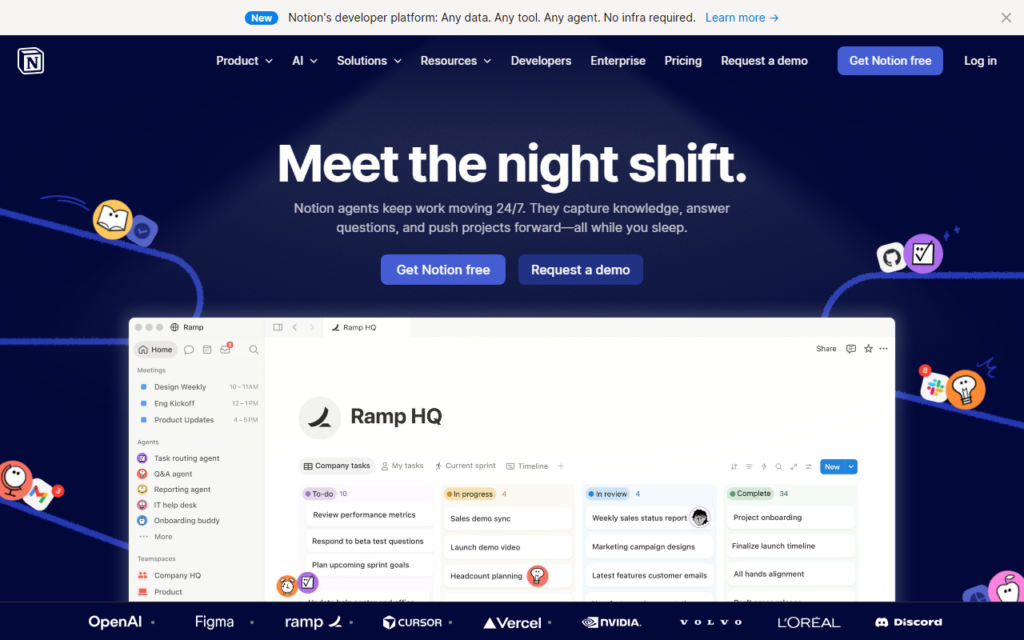
Unique Selling Proposition: AI natively embedded inside a powerful note-taking and project management tool. Notion AI is not a chatbot you visit; it is a feature that lives inside your wiki, your database, and your tasks.
Ideal Use Case: Knowledge workers, product managers, and teams that live in Notion. If you already have a Notion setup, the AI is a force multiplier. If you don’t use Notion, this tool will not convert you.
My Experience: I have a Notion database for this blog with 200+ articles. I asked Notion AI to “Find all articles mentioning ‘Motion’ and ‘Calendar’ and create a summary table comparing their scheduling features.” It did it in 10 seconds. Testing Note: The “Q&A” feature is finally reliable. You can ask “What was the budget for the Q3 campaign?” and it will pull the answer from a specific database row. The “Autofill” for database properties is a lifesaver—it guesses the status of a task based on the text you wrote.
Pricing: Notion AI add-on is $10/month per member (on top of the $10/month Plus plan). Total: $20/month per person.
The Brutal Truth: Notion AI writes like a robot. Its prose is dry and repetitive. Do not use it to write blog posts. Use it to summarize, organize, and query your own data. The AI is a librarian, not an author.
ChatGPT: The Swiss Army Knife (That Still Cuts Sometimes)
Unique Selling Proposition: General intelligence, massive plugin ecosystem, and the best conversational ability of any model. By 2026, GPT-5 is the default, and it is significantly better at reasoning than its predecessors.
Ideal Use Case: Research, brainstorming, coding assistance, and drafting long-form content. It is the most versatile tool in this list.
My Experience: I used ChatGPT to outline the structure of this article and to debug a Python script for my analytics dashboard. It handled both tasks competently. Testing Note: The “Canvas” feature (for collaborative editing) is now the standard. It feels like Google Docs with a ghost writer. However, the long-term memory is still a problem. I told it my preferred citation style three times, and it forgot on the fourth session. The “Projects” feature (folders + custom instructions) helps, but it is not perfect.
Pricing: ChatGPT Plus is $20/month. Pro (unlimited) is $200/month. The free tier (GPT-4o mini) is good for simple tasks but useless for complex reasoning.
The Brutal Truth: ChatGPT is the best all-rounder, but it is a jack of all trades, master of none. It cannot manage your calendar (like Motion) or read your email (like Gemini). It is also prone to “lazy mode” where it gives you a short, unhelpful answer. You have to prompt-engineer it constantly.
- Best natural language understanding
- Huge plugin ecosystem
- Free tier available
- GPT-4o included in Plus
- Can hallucinate
- Rate limits on free tier
- No real-time web on free

Motion: The Tyrant You Need on Your Calendar
Unique Selling Proposition: AI-powered calendar and project management that automatically schedules your tasks. Motion doesn’t just track your to-do list; it actually blocks time on your calendar for each task and moves things around when you miss a deadline.
Ideal Use Case: Freelancers, agency owners, and anyone with ADHD or a chaotic schedule. If you constantly overcommit and under-deliver, Motion is your digital parole officer.
My Experience: I imported my 40-hour work week into Motion. It immediately told me I had 60 hours of work and refused to schedule it. It forced me to prioritize. Testing Note: The “Auto-Schedule” feature is ruthless. I added a new client task, and Motion automatically pushed my lunch break to 3 PM. It does not care about your feelings. The “Work/Personal” calendar sync is finally solid—it can see your dentist appointment and avoid scheduling a meeting over it. However, the UI is still clunky. Adding a dependency between two tasks takes three clicks too many.
Pricing: Motion is expensive. Individual plan is $34/month. Team plan is $20/user/month (billed annually). There is no free tier, only a 7-day trial.
The Brutal Truth: Motion is the most useful and the most annoying tool here. It works, but it forces you to be honest about your time. If you like the idea of a strict project manager, get it. If you want a gentle reminder system, look elsewhere. The price is hard to swallow for an individual.
Buying Guide: How to Choose the Right One
Stop looking for the “best” tool. Look for the tool that fits your pain point.
- You are drowning in email and Google Docs: Get Google Gemini. It is the only tool that can actually reason across your entire workspace.
- You write a lot and need to sound professional: Get Grammarly. It is cheap, unobtrusive, and catches mistakes you didn’t know you were making.
- You live in a wiki/database and need to query your own knowledge: Get Notion AI. Do not use it for creative writing.
- You need a general-purpose assistant for research, coding, and drafting: Get ChatGPT. It is the most flexible, but requires the most prompt engineering.
- Your calendar is a disaster and you miss deadlines: Get Motion. It is expensive, but cheaper than losing a client.
One hard rule: Do not buy all five. You will spend $100+ a month and use none of them well. Pick one primary tool (ChatGPT or Gemini) and one secondary tool (Grammarly or Motion). That is all you need.
FAQ
Frequently Asked Questions
Can I replace my project manager with Motion?
Frequently Asked Questions
Is Google Gemini safe for confidential business data?
Frequently Asked Questions
Which tool is best for writing a book?
Frequently Asked Questions
Is the free version of any of these tools worth using?
Frequently Asked Questions
Can these tools work together?
Recommended Gear for This Workflow
