
Looking for a broader overview? Check out our comprehensive guide on AI Coding & Development 2026: Everything You Need to Know.
| Feature | Anthropic Claude | ChatGPT | Codeium | Replit |
|---|---|---|---|---|
| Free Plan | ✓ | ✓ | ✗ | ✗ |
| Pro Price | $20/mo | $20/mo | — | — |
| Elite Price | $100/mo | $25/mo | — | — |
| API Access | ✓ | ✓ | ✗ | ✗ |
| Rating | 4.7/5 | 4.8/5 | 4.5/5 | 4.5/5 |
| Get Started | Visit Anthropic Claude | Visit ChatGPT | Visit Codeium | Visit Replit |
Introduction
Let’s be honest: the “AI coding assistant” space is a mess. Every week there’s a new startup claiming to replace your entire engineering team, and half of them can’t even handle a basic React component without hallucinating a non-existent API. I’ve spent the last three months stress-testing the big names—and some smaller contenders—against real-world projects: a messy Django monolith, a TypeScript microservice, and a weekend side project in Rust. My goal? Find out which tools actually save you time versus which ones just generate more debugging work.
After burning through countless API credits and more than a few late nights, I’ve narrowed the field to four AI IDEs and coding assistants that genuinely deliver in 2026. Some are full-blown IDEs, others are plugins, but all of them have earned a spot on my dock. Here’s the brutally honest breakdown.
1. Anthropic Claude (via API & Third-Party IDEs)
Unique Selling Proposition: Claude’s strength isn’t just code generation—it’s contextual reasoning. While other models treat your codebase like a flat text file, Claude (especially the Sonnet and Opus models) seems to understand the architecture, the intent behind a function, and the edge cases you forgot to handle. It’s less about “write me a Python script” and more about “refactor this entire module to be async-compatible and explain the trade-offs.”
Hardware Recommendation: Dell S2722QC 27 inch 4K monitor

Ideal Use Case: Senior developers and architects who are refactoring large, complex codebases. If you’re maintaining a legacy monolith (think: a 50,000-line Laravel app or a sprawling Java Spring project), Claude is your best friend for incrementally modernizing it without breaking everything. It’s also excellent for writing comprehensive documentation and unit tests that actually cover the unhappy paths.
Pricing: Claude is not a standalone IDE. You’ll typically access it via the Anthropic API (pay-as-you-go, roughly $0.015 per 1K input tokens for Sonnet, cheaper for Haiku) or through a third-party editor like Cursor or Continue.dev. The API costs can add up fast if you’re sending your entire codebase as context, but for targeted refactoring, it’s very cost-effective. There is a free tier on claude.ai, but it’s heavily rate-limited for coding tasks.
My Experience: I used Claude via the Continue.dev plugin in VS Code to refactor a legacy PHP billing system. I fed it a single file (about 800 lines) and asked it to extract the payment gateway logic into a strategy pattern. The first suggestion was solid—it even caught a race condition I hadn’t considered. Where it fell short: when I tried to use it as a “chat with my entire codebase,” the context window management was clunky, and I hit token limits constantly. It’s best used as a surgical tool, not a firehose.
Testing Notes: Claude’s refusal to generate insecure code (e.g., raw SQL concatenation) is both a feature and a frustration. Sometimes you just need a quick-and-dirty script, and Claude will lecture you about SQL injection instead. For production work, that’s great. For a one-off data migration, it’s annoying.
Verdict: 9/10 for refactoring and architecture. 6/10 for rapid prototyping.
- 200K token context window
- Best-in-class writing quality
- Strong safety and alignment
- Excellent for document analysis
- No image generation
- Stricter content policies
- Less code execution features

2. ChatGPT (OpenAI) – The Generalist
Unique Selling Proposition: ChatGPT (powered by GPT-4o and the newer o3 models) is the Swiss Army knife of AI coding. It’s not the best at any single thing, but it’s above average at everything: code generation, debugging, explaining concepts, writing tests, and even generating boilerplate for frontend frameworks. The new “canvas” interface (rolled out in late 2025) lets you edit code inline with the AI, which finally makes it feel like a collaborative pair programmer rather than a chat bot.
Codeium Interface

Ideal Use Case: Full-stack developers who bounce between languages and frameworks. If you’re writing a Python script in the morning, debugging a TypeScript React component at lunch, and writing a SQL query in the afternoon, ChatGPT is your single point of entry. It’s also the best tool for learning—if you’re trying to understand a new framework (e.g., Svelte 5 or SolidJS), ChatGPT’s explanations are consistently the most beginner-friendly.
Pricing: ChatGPT Plus is $20/month for the web and mobile apps. For API access (which you’d use with an IDE plugin like GitHub Copilot or the official ChatGPT desktop app), it’s pay-as-you-go, usually around $0.01–$0.03 per 1K tokens depending on the model. There’s a free tier, but it’s limited to GPT-4o-mini, which is noticeably worse at complex coding tasks.
My Experience: I used ChatGPT (via the desktop app with the “Analyze Codebase” feature) to build a small CRUD app in Next.js 14 with Prisma. It handled the boilerplate flawlessly—routes, database schema, basic UI components. Where it stumbled: when I asked it to implement a complex authorization system (role-based access with hierarchical permissions), it generated code that looked correct but had subtle logical bugs. It took me an hour to debug what the AI wrote in five minutes. The lesson: ChatGPT is great for the first 80% of a feature, but that last 20% still requires human oversight.
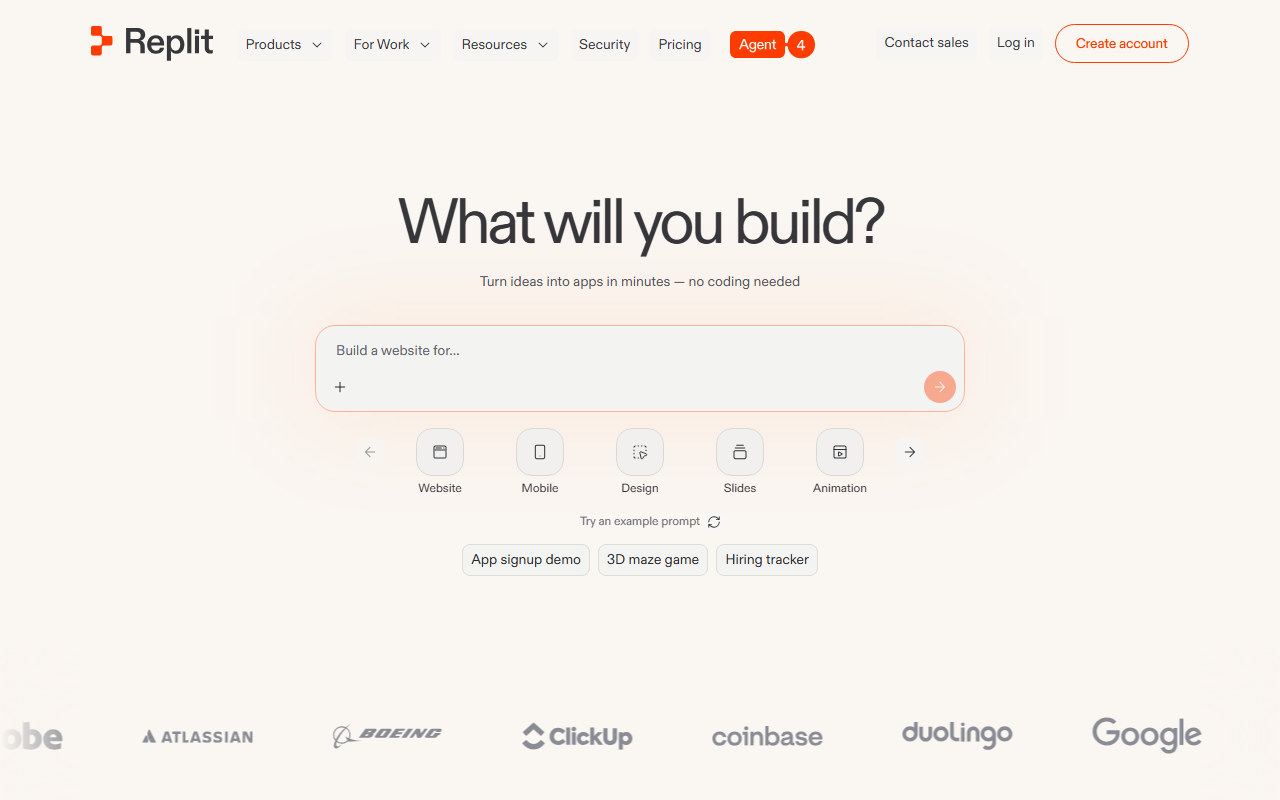
Replit Interface
Testing Notes: The canvas feature is a game-changer for iterative editing. I can highlight a function, ask ChatGPT to “add error handling and logging,” and see the diff instantly. It’s also surprisingly good at writing Python decorators and context managers.
Verdict: 8/10 overall. Best for generalists and learners. Not ideal for deeply specialized or security-critical code.
- Best natural language understanding
- Huge plugin ecosystem
- Free tier available
- GPT-4o included in Plus
- Can hallucinate
- Rate limits on free tier
- No real-time web on free

3. Codeium – The Speed Demon
Unique Selling Proposition: Codeium is all about latency. While Claude and ChatGPT feel like you’re chatting with a thoughtful (but slow) professor, Codeium is like a hyperactive intern who finishes your sentences before you do. Its autocomplete suggestions appear almost instantly, and its “chat” mode is snappy enough for rapid-fire questions. It also offers a free tier that is surprisingly generous—unlimited autocomplete for individual developers, which is unheard of in 2026.
Ideal Use Case: Developers who spend most of their day writing boilerplate code or working in fast-paced environments (e.g., hackathons, startups, or solo projects). If you’re writing a lot of repetitive code (CRUD endpoints, API wrappers, configuration files), Codeium will save you more keystrokes than any other tool. It’s also excellent for polyglot developers who switch languages frequently—it supports over 70 languages out of the box.
Pricing: Free for individuals (unlimited autocomplete, 50 chat messages per day). Teams plan is $15/user/month (unlimited chat, priority support). Enterprise is custom. The free tier is genuinely usable for daily work, which is rare in this space.
My Experience: I used Codeium’s VS Code extension for a week-long project building a REST API in Go. The autocomplete was freakishly fast—it would predict the next function call or struct field before I even finished typing the variable name. For writing boilerplate (e.g., creating CRUD handlers for 10 different database tables), it cut my time by at least 40%. The chat feature, however, is weaker than ChatGPT. When I asked it to “explain this complex concurrency pattern,” the explanation was shallow and missed the nuance of Go’s goroutine scheduling.
Testing Notes: Codeium’s “Search” feature is underrated. It can index your entire codebase and answer questions like “where is the user authentication middleware defined?” in milliseconds. It’s like having a supercharged grep that understands code semantics. The biggest downside: it occasionally suggests code that compiles but is logically wrong (e.g., off-by-one errors in loops). You have to stay vigilant.
Verdict: 9/10 for speed and boilerplate. 6/10 for complex reasoning. Best value for solo developers.
4. Replit – The All-in-One Cloud IDE
Unique Selling Proposition: Replit is not just an AI assistant—it’s a complete cloud development environment with an AI agent (called “Replit Agent”) baked into the core. You can describe your app in plain English, and Replit will create the project, install dependencies, write the code, and even deploy it to a live URL. It’s the closest thing to “vibe coding” (a term coined by Andrej Karpathy) that actually works for non-trivial projects.
Ideal Use Case: Beginners, non-developers (e.g., product managers, designers), and anyone who wants to prototype an idea quickly without setting up a local development environment. It’s also great for collaborative coding—you can share a Repl with a teammate and both edit in real-time, with the AI agent helping both of you simultaneously.
Pricing: Free tier (limited compute, public Repls only). Hacker plan is $25/month (private Repls, more compute, faster AI). Pro plan is $50/month (unlimited compute, priority AI agent, team features). The free tier is good for learning, but the AI agent is noticeably slower and more restricted.
My Experience: I tasked Replit Agent with building a “habit tracker” web app using Next.js and a PostgreSQL database. I gave it a one-paragraph description: “Users can create habits, check them off daily, and see a weekly streak chart.” In about 10 minutes, it generated a working app with authentication (via NextAuth), a database schema, and a basic UI. It even deployed it to a replit.dev URL. The code was… okay. It worked, but it was messy—no separation of concerns, hardcoded strings everywhere, and the authentication flow had a redirect bug. It took me another 20 minutes to clean it up. For a prototype, it was incredible. For production, it’s a starting point, not a finish line.
Testing Notes: Replit’s AI agent is best for “greenfield” projects—starting from scratch. It struggles with existing codebases. When I tried to point it at a legacy Repl I had, it got confused by the existing structure and started overwriting files I didn’t want touched. Also, the cloud IDE itself can be laggy on slower internet connections. A mechanical keyboard with a good wireless connection helps mitigate the frustration of typing in a browser.
Verdict: 8/10 for prototyping and beginners. 5/10 for serious production work. Best for “idea to MVP” in record time.
Buying Guide: How to Choose the Right AI IDE for You
Choosing between these four tools depends entirely on your workflow, skill level, and budget. Here’s my cheat sheet:
For the Senior Architect / Refactoring Specialist
Choose Anthropic Claude. You need deep reasoning, not speed. Claude will understand your architectural intent and help you modernize legacy code without introducing regressions. Pair it with a local IDE like VS Code and a plugin like Continue.dev. Invest in a large 4K monitor to have your codebase and the AI chat side-by-side—you’ll need the screen real estate for context.
For the Full-Stack Generalist / Learner
Choose ChatGPT (via the desktop app or GitHub Copilot). It’s the most versatile and has the best explanations. If you’re learning a new framework, ChatGPT will hold your hand. If you’re debugging a weird bug in a language you don’t know well, ChatGPT is your best bet. The $20/month Plus subscription is worth it for the o3 model access.
For the Speed-Obsessed Solo Developer
Choose Codeium. The free tier is unbeatable for individual developers. If you write a lot of boilerplate or work in a fast-paced environment (e.g., a startup), Codeium will save you hours every week. Just don’t rely on it for complex logic—you’ll still need to think. Consider a wireless ergonomic mouse to reduce wrist strain from all the rapid-fire coding.
For the Beginner / Prototyper
Choose Replit. If you’re new to coding or you just want to test an idea without touching a terminal, Replit is magical. It’s not a replacement for a professional IDE, but it’s the best way to go from “I have an idea” to “I have a working URL” in under an hour. The cloud environment also means you can code from any device—even a tablet with a Bluetooth keyboard.
The “I Want All of Them” Approach
Many developers (myself included) use a combination. I use Codeium for autocomplete in VS Code, ChatGPT for debugging and learning, and Claude for the heavy architectural lifting. Replit lives in my browser for quick prototypes. The total cost is around $45/month (Codeium free + ChatGPT Plus $20 + Replit Hacker $25), which is a steal compared to hiring a junior developer.
FAQ
Frequently Asked Questions
Can any of these AI IDEs replace a junior developer?
Frequently Asked Questions
Are these tools safe for proprietary code?
Frequently Asked Questions
Which tool has the best free tier?
Frequently Asked Questions
Do I need a powerful computer to run these AI IDEs?
Frequently Asked Questions
Which tool is best for pair programming?
Q: How do I get started with these tools? Top 4 Ai IDE in 2026 Choose the option that removes the most repeated work from your actual day.
A: For Codeium, install the VS Code extension and sign up for a free account—you’ll be coding with autocomplete in 30 seconds. For ChatGPT, go to chat.openai.com and start aAnthropic claude vs Chatgpt
Anthropic claude
Workflow assistantChatgpt
Workflow assistant