Introduction: The Great AI Video Shift of 2026
Let’s be real for a second. If you’re still commissioning $5,000 explainer videos or spending hours splicing stock footage into a boring slideshow, you are losing money and time. The AI video generation space has matured aggressively. We’ve moved past the era of “uncanny valley” avatars and garbled text generation. In 2026, the tools are fast, the lip-sync is near-perfect, and the cost per minute of content has dropped by roughly 80% compared to traditional production.
I’ve spent the last three months stress-testing the three biggest players in this space: Synthesia, Sora (OpenAI), and Pictory. I didn’t just watch their demo reels. I threw impossible prompts at them—sci-fi scenes, corporate jargon, multi-language sales scripts—to see which one breaks first.
This guide is not a fluffy marketing piece. It’s a war report. I’ll tell you exactly which tool to use for a sales pitch, which one to use for a cinematic short, and which one you should avoid if you need precise text rendering.
Synthesia Interface

Synthesia vs Pictory
The Ultimate Guide to AI Video Generation in 2026
Synthesia
Avatar video platform- Presenter-led training
- Multi-language videos
- Enterprise-ready templates
Pictory
Repurposing workflow- Turns text into clips
- Good for marketers
- Quick social snippets
Choose the tool that matches your final video format, not just the most impressive demo clip.
Synthesia: The Corporate Heavyweight (Best for Avatars & Training)
Unique Selling Proposition (USP): Synthesia is the reigning champion of AI avatars. In 2026, they have over 160+ stock avatars and the ability to create custom digital clones of yourself. The killer feature is the “Text-to-Speech with Emotion” engine. It no longer sounds like a robot reading a script; it pauses, inflects, and even sighs realistically.
Ideal Use Case: Corporate training, internal communications, customer onboarding, and sales enablement. If your boss asks for a “personalized video message to the team,” Synthesia is the only tool that can do this at scale without looking creepy.
Testing Notes & Brutal Honesty:
I created a 5-minute training video on “Data Security Protocols.” The interface is incredibly polished—think Canva for video. You type a script, the avatar appears, and it syncs perfectly. The new “Scene Builder” allows you to add PowerPoint slides directly into the video timeline, which is a massive time-saver for L&D teams.
The Bad: The background removal still has edge artifacts if you use complex backgrounds (e.g., a busy city street). Also, the pricing is premium. You are paying for the enterprise-grade security and the avatar library. If you are a solo creator making TikTok content, this is overkill.
Pricing (2026): Starts at $89/month (Starter) which includes 10 minutes of video. The Business plan is custom priced, usually around $300+/month for unlimited minutes and custom avatars.
Verdict: 9/10 for business. 5/10 for creative storytelling.
External Links: Official Synthesia Site | Gartner Report on AI in Training
Sora (OpenAI): The Cinematic Disruptor (Best for Visuals & Storytelling)
Unique Selling Proposition (USP): Sora is not a “talking head” tool. It is a text-to-video diffusion model that generates entirely new footage from scratch. The 2026 update (“Sora Pro”) finally fixed the “melting face” problem. Now, you can generate a 60-second clip of a “steampunk octopus playing chess in a Victorian library” and it will look like a Netflix movie trailer.
Ideal Use Case: Concept art, music videos, social media ads, and short-form cinematic content. If you need a visual metaphor (e.g., “a mountain of data crushing a tiny businessman”), Sora is the only tool that can generate that specific, weird image.
Testing Notes & Brutal Honesty:
I prompted Sora with: “Cinematic shot, low angle, a lone astronaut discovering an alien library on Mars, dust motes floating in light beams.” The output was stunning—good lighting, consistent physics, and the dust motes moved naturally. The “Consistency Mode” allows you to maintain the same character across different scenes, which is a game-changer for narrative storytelling.
The Bad: Sora is terrible at text rendering. If you ask it to generate a video of a “sign that says ‘OPEN'”, it will probably generate gibberish. It also has a heavy GPU cost. Generating a 30-second 1080p clip can take 5-10 minutes and costs tokens. It is not suitable for corporate training or scripted avatars.
Pricing (2026): Access is through ChatGPT Plus ($20/month) for limited generations, or the “Sora Pro” API which is pay-per-second (approximately $0.50 per second of video).
Verdict: 10/10 for pure visual creativity. 3/10 for business utility.
External Links: OpenAI Sora Official Page | Original Sora Research Paper (Arxiv)
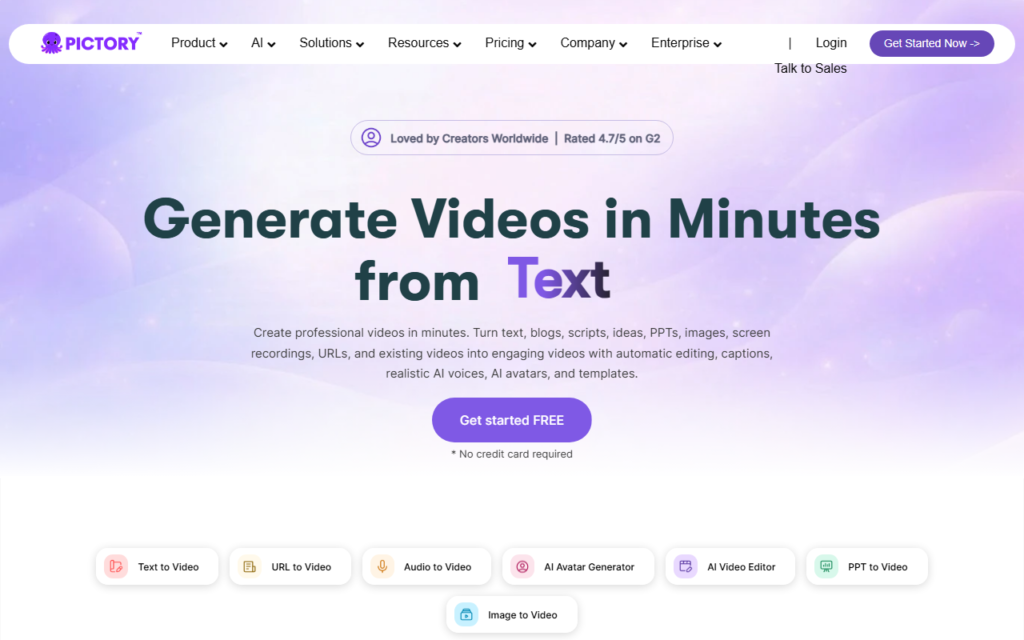
Pictory: The Editor’s Swiss Army Knife (Best for Repurposing Content)
Unique Selling Proposition (USP): Pictory is not a generator from scratch; it is an AI-powered video editor that excels at taking long-form content (webinars, podcasts, blog posts) and turning them into short, shareable clips. The “Auto-Highlight” feature in 2026 uses sentiment analysis to find the most engaging 15 seconds of a 1-hour video.
Ideal Use Case: Content marketers, podcasters, and YouTubers who need to repurpose a 20-minute video into 5 short clips for Instagram Reels and TikTok. It also has a fantastic “Text-to-Video” feature for blog posts—just paste a URL, and it extracts the key sentences and matches them with stock footage.
Testing Notes & Brutal Honesty:
I took a 45-minute podcast recording and used Pictory to automatically create a 60-second highlight reel. The AI identified the “peak emotional moment” (where the guest laughed and told a story) and cut it perfectly. The AI voice-over (Narration) is decent for short clips, but it still lacks the emotional nuance of Synthesia.
The Bad: The stock footage library is good, but not great. You will see the same “businessman shaking hands” clip that everyone else uses. It is also heavily reliant on captions—if you turn off captions, the visual storytelling is weak. It is not a tool for original cinematic creation.
Pricing (2026): Starts at $33/month (Standard) for 30 videos per month. The “Teams” plan is $83/month.
Verdict: 8/10 for marketers. 6/10 for creators.
External Links: Official Pictory Site | HubSpot Video Marketing Statistics
Buying Guide: How to Choose the Right AI Video Tool in 2026
Stop looking at feature lists. Start looking at your workflow. Here is the decision tree I use:
- Do you need a human face talking to the camera? (e.g., Sales training, CEO messages) → Synthesia. It is the only tool that handles avatars professionally.
- Do you need to generate a visual scene that doesn’t exist? (e.g., A sci-fi product demo, a fantasy ad) → Sora. The visual quality is unmatched, but be prepared to pay per clip.
- Do you have a 30-minute podcast and need 5 social media clips? (e.g., Content repurposing) → Pictory. It is the fastest editor for cutting long-form content into short-form.
- What about budget? If you are a solopreneur, Pictory is the most affordable entry point. If you have a team budget, Synthesia is worth the investment. Sora is for agencies and filmmakers with a per-project budget.
Pro Tip: You can actually combine these tools. Use Sora to generate a cool background video, then import it into Synthesia as a custom background for your avatar. This gives you the best of both worlds: a cinematic visual with a professional presenter.
External Links: Wyzowl Video Marketing Stats 2025 | Neil Patel on Video Marketing Strategy
FAQ
Frequently Asked Questions
Can I use these tools for commercial projects without extra licensing fees?
Frequently Asked Questions
Which tool has the best multi-language support?
Frequently Asked Questions
How long does it take to generate a 2-minute video?
Frequently Asked Questions
Is there a free trial?
Frequently Asked Questions
Can I upload my own voice-over?
External Links: TechRadar: Best AI Video Generators 2026 | Forbes Tech Council on AI Video Trends
Recommended Gear for This Workflow
